
A field salesperson who juggles four client meetings, two team points, and about ten Slack notifications between each trip is not lacking in willpower. They lack protected time slots. Organizing your schedule for a productive day is not just about filling an agenda: it’s about deciding in advance what deserves your attention and what can wait.
Grouped Meetings: The Most Underestimated Lever for Organizing Your Day
It is often thought that shortening meetings is enough to free up time. Field feedback shows otherwise: it’s the number of meetings, not their duration, that hampers concentration. Three twenty-minute meetings scattered throughout the day fragment focus much more than a single one-hour meeting.
The concrete solution is to group all meetings into the same time slot, ideally at the end of the morning or the beginning of the afternoon. This results in two immediate effects: uninterrupted work periods before and after the meeting block, and reduced mental load because you don’t constantly switch between “exchange mode” and “production mode”.
For teams using a shared calendar, the reflex is simple. Visually block concentration slots as you would block a client meeting. A slot without a specific title will be encroached upon by the first request that comes along. Planning your day concretely, on 1jour.net or any calendar tool, means treating your work periods with the same seriousness as an external commitment.
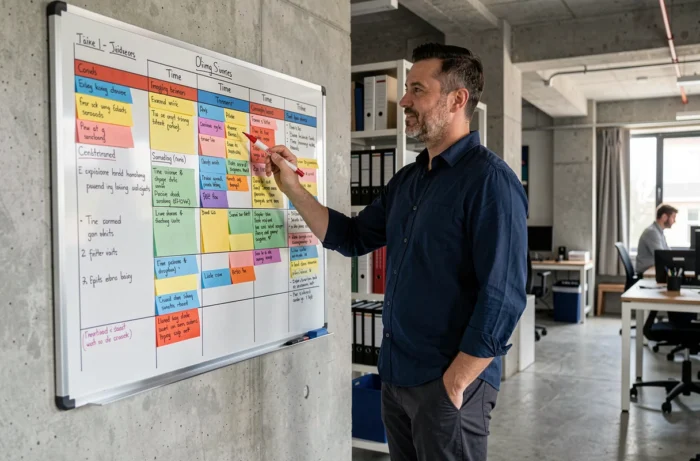
Minimum One-Hour Concentration Block: Why It’s the Critical Threshold
A Japanese study conducted among several hundred employees measured the impact of uninterrupted time slots on mental state the following day. The result: the vast majority of employees with at least 60 continuous minutes saw their mental condition improve the next day. Below this threshold, the benefits dropped significantly.
In practical terms, this means that thirty-minute blocks reserved “to make progress on file X” are not enough. The brain needs a warm-up time before reaching a deep work state. Cutting this process midway is like restarting an engine every ten minutes without ever driving.
Protect These Blocks from Digital Interruptions
Sources of distraction are no longer limited to emails. We now accumulate instant messaging, impromptu video conferences, and alerts from business applications. Disabling notifications during the concentration block is not a luxury: it’s a basic requirement.
- Set your status to “Do Not Disturb” on your team messaging during the block, indicating your return time.
- Physically close messaging and social media tabs, not just sound notifications.
- If an emergency arises, a colleague can always call on the phone, which naturally filters false urgencies from real ones.
Feedback varies on this point: some teams work well with a concentration block in the morning, while others prefer the afternoon. The idea is not to copy a single model, but to test a one-hour block for five consecutive days before judging the results.
Prioritize Your Tasks Without Falling into Over-Planning
Listing fifteen tasks in the morning hoping to complete everything by 6 PM is the best way to end the day frustrated. A more realistic approach is to identify three maximum priority tasks per day. Not three categories, not three projects: three concrete actions that could each be described in one sentence.
The sorting is based on a simple question: if we only accomplish these three tasks today, will the day have been useful? If the answer is yes, the rest goes on hold for the next day or the following week.
Schedule the Most Demanding Task During Your Peak Energy
Everyone has a time slot when concentration comes more easily. For most people, it’s in the morning between 9 AM and 11 AM. For others, it’s in the mid-afternoon. Place the most complex task in this slot, not emails or administrative tasks that require little cognitive effort.
Micro-tasks (responding to a message, validating an invoice, proofreading a short document) can be grouped into a single thirty-minute block, either at the end of the morning or at the end of the day. Scattered, they will chip away at your deep work blocks without you noticing.

Right to Disconnect: A Collective Framework That Structures Individual Schedules
Organizing a productive day is not just about personal discipline. In France, Article L. 2242-17 of the Labor Code mandates negotiation on the right to disconnect and the regulation of digital tools. In the absence of an agreement, the employer must develop a charter after consulting the CSE.
This charter may provide for periods of non-solicitation, deferred sending of messages outside working hours, handling of emergencies, and coverage during absences. When these rules exist, they legitimize the act of turning off notifications without guilt.
For those who work independently or in structures without a formal charter, the logic remains the same. Defining a personal end-of-day digital time (no checking emails after 7 PM, for example) protects mental recovery and, in turn, the productivity of the next day.
A well-organized schedule is not measured by the number of boxes checked in the agenda. It is measured by the number of tasks actually completed by the end of the day, and by the ability to start again the next day without a debt of fatigue. Grouping meetings, protecting at least one hour of continuous concentration, and limiting to three daily priorities form a simple foundation that can be implemented starting tomorrow morning.